# 发送消息内容结构
本文介绍[发送消息](https://open.feishu.cn/document/uAjLw4CM/ukTMukTMukTM/reference/im-v1/message/create)、[回复消息](https://open.feishu.cn/document/uAjLw4CM/ukTMukTMukTM/reference/im-v1/message/reply)、[编辑消息](https://open.feishu.cn/document/uAjLw4CM/ukTMukTMukTM/reference/im-v1/message/update)接口中各消息类型(`msg_type`)对应的消息内容(`content`)应如何构造。
## 注意事项
- 本文提供的示例代码中所有的 `receive_id`(消息接收者 ID)、`user_id`(用户的 user_id)、`image_key`(上传图片后获取到的图片标识 key)、`file_key`(上传文件后获取到的文件标识 Key) 等参数值均为示例数据。你在实际开发过程中,需要替换为真实可用的数据。
- 本文提供的内容构造示例,仅适用于[发送消息](https://open.feishu.cn/document/uAjLw4CM/ukTMukTMukTM/reference/im-v1/message/create)、[回复消息](https://open.feishu.cn/document/uAjLw4CM/ukTMukTMukTM/reference/im-v1/message/reply)、[编辑消息](https://open.feishu.cn/document/uAjLw4CM/ukTMukTMukTM/reference/im-v1/message/update)接口,不适用于[批量发送消息](https://open.feishu.cn/document/ukTMukTMukTM/ucDO1EjL3gTNx4yN4UTM)接口和消息的各历史版本接口。
- 本文不适用于自定义机器人,自定义机器人使用方式需参考[自定义机器人使用指南](https://open.feishu.cn/document/ukTMukTMukTM/ucTM5YjL3ETO24yNxkjN)。
## 消息内容介绍
在 **发送消息**、**回复消息**、**编辑消息** 接口中,均需要传入消息内容(`content`),不同的消息类型对应的 `content` 也不相同。以文本类型的消息为例,请求体示例如下:
```json
{
"receive_id": "ou_7d8a6e6df7621556ce0d21922b676706ccs",
"content": "{\"text\":\" test content\"}",
"msg_type": "text"
}
```
**注意**:`content` 字段为 string 类型,JSON 结构需要先进行转义再传值。在调用接口时,你可以先构造一个结构体,然后使用 JSON 序列化转换为 string 类型,或者通过第三方的 JSON 转换工具进行转义。
## 各类型的消息内容 JSON 结构
消息类型包括文本、富文本、卡片、名片、音频、视频以及文件等多种类型,本章节将介绍各类型消息对应的内容如何构造。
### 文本 text
**内容示例**
```json
{
"text": "test content"
}
```
**参数说明**
名称 | 类型 | 是否必填 | 描述
---|---|---|---
text | string | 是 | 文本内容。
**示例值**:test content
**[发送消息](https://open.feishu.cn/document/uAjLw4CM/ukTMukTMukTM/reference/im-v1/message/create)请求体示例**
```json
{
"receive_id": "ou_7d8a6e6df7621556ce0d21922b67670xxxx",
"content": "{\"text\":\"test content\"}",
"msg_type": "text"
}
```
#### 支持换行符
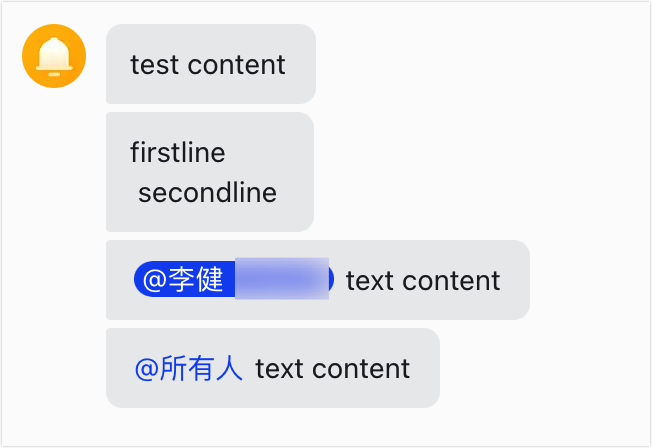
如果需要在文本中换行,可使用 `\n` 换行符。请求体示例如下(注意内容需要转义):
```json
{
"receive_id": "oc_xxx",
"content": "{\"text\":\"firstline \\n secondline \"}",
"msg_type": "text"
}
```
#### 支持 @ 用户、@ 所有人
```json
// @ 单个用户
用户名(可不填)
// @ 所有人
```
- @ 单个用户时,`user_id` 字段必须填入用户的 open_id,union_id 或 user_id 来 @ 指定人。请确保 ID 为有效值,ID 获取方式参考[如何获取 User ID、Open ID 和 Union ID?](https://open.feishu.cn/document/home/user-identity-introduction/open-id)。
- @ 所有人时,`user_id` 取值为 `all`,并且需要注意所在群必须开启了 @ 所有人功能。
- 此处的语法与卡片消息([消息卡片 Markdown](https://open.feishu.cn/document/ukTMukTMukTM/uADOwUjLwgDM14CM4ATN#abc9b025)、[飞书卡片 Markdown](https://open.feishu.cn/document/uAjLw4CM/ukzMukzMukzM/feishu-cards/card-components/content-components/rich-text)) @ 指定人的语法不同,请注意区分。
文本消息 @ 用法示例:
```json
{
"receive_id": "oc_xxx",
"content": "{\"text\":\"Tom text content\"}",
"msg_type": "text"
}
```
消息发送后的效果如下图:
#### 支持部分样式标签
支持加粗、斜体、下划线、删除线四种样式(可嵌套使用):
- **加粗**:`**文本示例**`
- *斜体*:`文本示例`
- _下划线_:`文本示例`
- ~~删除线~~:`文本示例`warning
**注意**:
- 请保证首尾标签对应、嵌套正确,如有首尾标签缺失、嵌套层级错误等情况,会以原始内容发送消息。
- 标签信息会大幅增加消息体的大小,请酌情使用。
- 该能力暂不支持[自定义机器人](https://open.feishu.cn/document/ukTMukTMukTM/ucTM5YjL3ETO24yNxkjN)和[批量发送消息](https://open.feishu.cn/document/ukTMukTMukTM/ucDO1EjL3gTNx4yN4UTM)接口。
样式标签使用示例:
```json
{
"receive_id": "oc_xxx",
"content": "{\"text\":\"**bold content, bold and italic content**\"}",
"msg_type": "text"
}
```
消息发送后效果如下图:

#### 支持超链接
超链接的使用格式为 `[文本](链接)`, 如 `[Feishu Open Platform](https://open.feishu.cn)` 。warning
**注意**:
- `[文本]` 中不支持 `[]` 多层嵌套使用,此外,若文本中含有其他 `[` 或 `]` 字符,请确保前后符号匹配,否则可能导致超链接识别异常。
- 请确保链接是合法的,否则会以原始内容发送消息。
- 该能力暂不支持[自定义机器人](https://open.feishu.cn/document/ukTMukTMukTM/ucTM5YjL3ETO24yNxkjN)和[批量发送消息](https://open.feishu.cn/document/ukTMukTMukTM/ucDO1EjL3gTNx4yN4UTM)接口。
超链接使用示例:
```json
{
"receive_id": "oc_xxx",
"content": "{\"text\":\"[Feishu Open Platform](https://open.feishu.cn)\"}",
"msg_type": "text"
}
```
消息发送后效果如下图:

### 富文本 post
在一条富文本消息中,支持添加文字、图片、视频、@、超链接等元素。如下 JSON 格式的内容是一个富文本示例,其中:
- 一个富文本可分多个段落(由多个 `[]` 组成),每个段落可由多个元素组成,每个元素由 tag 和相应的描述组成。
- 图片、视频元素必须是独立的一个段落。
- `style` 字段暂不支持[自定义机器人](https://open.feishu.cn/document/ukTMukTMukTM/ucTM5YjL3ETO24yNxkjN)和[批量发送消息](https://open.feishu.cn/document/ukTMukTMukTM/ucDO1EjL3gTNx4yN4UTM)接口。
- 实际发送消息时,需要将 JSON 格式的内容压缩为一行、并进行转义。
- 如需参考该 JSON 示例构建富文本消息内容,则需要把其中的 user_id、image_key、file_key 等示例值替换为真实值。
```json
{
"zh_cn": {
"title": "我是一个标题",
"content": [
[
{
"tag": "text",
"text": "第一行:",
"style": ["bold", "underline"]
},
{
"tag": "a",
"href": "http://www.feishu.cn",
"text": "超链接",
"style": ["bold", "italic"]
},
{
"tag": "at",
"user_id": "ou_1avnmsbv3k45jnk34j5",
"style": ["lineThrough"]
}
],
[{
"tag": "img",
"image_key": "img_7ea74629-9191-4176-998c-2e603c9c5e8g"
}],
[
{
"tag": "text",
"text": "第二行:",
"style": ["bold", "underline"]
},
{
"tag": "text",
"text": "文本测试"
}
],
[{
"tag": "img",
"image_key": "img_7ea74629-9191-4176-998c-2e603c9c5e8g"
}],
[{
"tag": "media",
"file_key": "file_v2_0dcdd7d9-fib0-4432-a519-41d25aca542j",
"image_key": "img_7ea74629-9191-4176-998c-2e603c9c5e8g"
}],
[{
"tag": "emotion",
"emoji_type": "SMILE"
}],
[{
"tag": "hr"
}],
[{
"tag": "code_block",
"language": "GO",
"text": "func main() int64 {\n return 0\n}"
}],
[{
"tag": "md",
"text": "**mention user:**Tom\n**href:**[Open Platform](https://open.feishu.cn)\n**code block:**\n```GO\nfunc main() int64 {\n return 0\n}\n```\n**text styles:** **bold**, *italic*, ***bold and italic***, ~underline~,~~lineThrough~~\n> quote content\n\n1. item1\n 1. item1.1\n 2. item2.2\n2. item2\n --- \n- item1\n - item1.1\n - item2.2\n- item2"
}]
]
},
"en_us": {
...
}
}
```
**参数说明**
名称 | 类型 | 是否必填 | 描述
---|---|---|---
zh_cn, en_us | object | 是 | 多语言配置字段。如果不需要配置多语言,则仅配置一种语言即可。
- `zh_cn` 为富文本的中文内容
- `en_us` 为富文本的英文内容
**注意**:该字段无默认值,至少要设置一种语言。
**示例值**:zh_cn
∟ title | string | 否 | 富文本消息的标题。
**默认值**:空
**示例值**:title
∟ content | string | 是 | 富文本消息内容。由多个段落组成(段落由`[]`分隔),每个段落为一个 node 列表,所支持的 node 标签类型以及对应的参数说明,参见下文的 **富文本支持的标签和参数说明** 章节。
**注意**:如 **示例值** 所示,各类型通过 tag 参数设置。例如文本(text)设置为 `"tag": "text"`。
**示例值**:[[{"tag": "text","text": "text content"}]]
#### **富文本支持的标签和参数说明**
- **text:文本标签**
名称 | 类型 | 是否必填 | 描述
---|---|---|---
text | string | 是 | 文本内容。
**示例值**:test content
un_escape | boolean | 否 | 是否 unescape 解码。默认为 false,无需使用可不传值。
**示例值**:false
style | []string | 否 | 文本内容样式,支持的样式有:
- bold:加粗
- underline:下划线
- lineThrough:删除线
- italic:斜体
**注意**:
- 默认值为空,表示无样式。
- 传入的值如果不是以上可选值,则被忽略。
**示例值**:["bold", "underline"]
- **a:超链接标签**
名称 | 类型 | 是否必填 | 描述
---|---|---|---
text | string | 是 | 超链接的文本内容。
**示例值**:超链接
href | string | 是 | 超链接地址。
**注意**:请确保链接地址的合法性,否则消息会发送失败。
**示例值**:https://open.feishu.cn
style | []string | 否 | 超链接文本内容样式,支持的样式有:
- bold:加粗
- underline:下划线
- lineThrough:删除线
- italic:斜体
**注意**:
- 默认值为空,表示无样式。
- 传入的值如果不是以上可选值,则被忽略。
**示例值**:["bold", "italic"]
- **at:@标签**
名称 | 类型 | 是否必填 | 描述
---|---|---|---
user_id | string | 是 | 用户 ID,用来指定被 @ 的用户。传入的值可以是用户的 user_id、open_id、union_id。各类 ID 获取方式参见[如何获取 User ID、Open ID 和 Union ID](https://open.feishu.cn/document/home/user-identity-introduction/open-id)。
**注意**:
- @ 单个用户时,该字段必须传入实际用户的真实 ID。
- 如需 @ 所有人,则该参数需要传入 `all`。
style | []string | 否 | at 文本内容样式,支持的样式有:
- bold:加粗
- underline:下划线
- lineThrough:删除线
- italic:斜体
**注意**:
- 默认值为空,表示无样式。
- 传入的值如果不是以上可选值,则被忽略。
**示例值**:["lineThrough"]
- **img:图片标签**
名称 | 类型 | 是否必填 | 描述
---|---|---|---
image_key | string | 是 | 图片 Key。通过[上传图片](https://open.feishu.cn/document/uAjLw4CM/ukTMukTMukTM/reference/im-v1/image/create)接口可以获取到图片 Key(image_key)。
**示例值**:d640eeea-4d2f-4cb3-88d8-c964fab53987
- **media:视频标签**
名称 | 类型 | 是否必填 | 描述
---|---|---|---
file_key | string | 是 | 视频文件的 Key。通过[上传文件](https://open.feishu.cn/document/uAjLw4CM/ukTMukTMukTM/reference/im-v1/file/create)接口上传视频(mp4 格式)后,可以获取到视频文件 Key(file_key)。
**示例值**:file_v2_0dcdd7d9-fib0-4432-a519-41d25aca542j
image_key | string | 否 | 视频封面图片的 Key。通过[上传图片](https://open.feishu.cn/document/uAjLw4CM/ukTMukTMukTM/reference/im-v1/image/create)接口可以获取到图片 Key(image_key)。
**默认值**:空,表示无视频封面。
**示例值**:img_7ea74629-9191-4176-998c-2e603c9c5e8g
- **emotion:表情标签**
名称 | 类型 | 是否必填 | 描述
---|---|---|---
emoji_type | string | 是 | 表情文案类型。可选值参见[表情文案说明](https://open.feishu.cn/document/uAjLw4CM/ukTMukTMukTM/reference/im-v1/message-reaction/emojis-introduce)。
**示例值**:SMILE
- **code_block:代码块标签**
名称 | 类型 | 是否必填 | 描述
---|---|---|---
language | string | 否 | 代码块的语言类型。可选值有 PYTHON、C、CPP、GO、JAVA、KOTLIN、SWIFT、PHP、RUBY、RUST、JAVASCRIPT、TYPESCRIPT、BASH、SHELL、SQL、JSON、XML、YAML、HTML、THRIFT 等。
**注意**:
- 取值不区分大小写。
- 不传值则默认为文本类型。
**示例值**:GO
text | string | 是 | 代码块内容。
**示例值**:func main() int64 {\n return 0\n}
- **hr:分割线标签**
富文本支持 `tag` 取值为 `hr`,表示一条分割线,该标签内无其他参数。
- **md:Markdown 标签**warning
**注意**:
- `md` 标签会独占一个或多个段落,不能与其他标签在同一行。
- `md` 标签仅支持发送,[获取消息内容](https://open.feishu.cn/document/uAjLw4CM/ukTMukTMukTM/reference/im-v1/message/get)时将不再包含此标签,会根据 `md` 中的内容转换为其他相匹配的标签。
- 引用、有序、无序列表在获取消息内容时,会简化为文本标签(text)进行输出。
`md` 标签内通过 `text` 参数设置 Markdown 内容。
名称 | 类型 | 是否必填 | 描述
---|---|---|---
text | string | 是 | Markdown 内容。支持的内容参见下表。
**示例值**:1. item1\n2. item2
在 `text` 参数内支持的语法如下表所示。
语法 | 示例 | 说明
---|---|---
@ 用户 | `User` | 支持 @ 单个用户或所有人。
- @ 单个用户时,需要在 user_id 内传入实际用户的真实 ID。传入的值可以是用户的 user_id、open_id、union_id。各类 ID 获取方式参见[如何获取 User ID、Open ID 和 Union ID](https://open.feishu.cn/document/home/user-identity-introduction/open-id)。
- 如需 @ 所有人,需要将 user_id 取值为 `all`。
超链接 | `[Feishu Open Platform](https://open.feishu.cn)` | 在 Markdown 语法内,`[]` 用来设置超链接的文本内容、`()` 用来设置超链接的地址。
**注意**:请确保链接地址的合法性,否则只发送文本内容部分。
有序列表 | `1. item1\n2. item2` | Markdown 配置说明:
- 每个编号的 `.` 符与后续内容之间要有一个空格。
- 每一列独立一行。如示例所示,可使用 `\n` 换行符换行。
- 支持嵌套多层级。
- 每个层级缩进 4 个空格,且编号均从 `1.` 开始。
- 可以与无序列表混合使用。
无序列表 | `- item1\n- item2` | Markdown 配置说明:
- 每列的 `-` 符与后续内容之间要有一个空格。
- 每一列独立一行。如示例所示,可使用 `\n` 换行符换行。
- 支持嵌套多层级。
- 每个层级缩进 4 个空格。
- 可以与有序列表混合使用,有序列表以 `1.` 开始编号。
代码块 | \`\`\`GO\nfunc main(){\n return\n}\n\`\`\` | 代码块内容首尾需要使用 \`\`\` 符号包裹,首部 \`\`\` 后紧跟代码语言类型。支持的语言类型有 PYTHON、C、CPP、GO、JAVA、KOTLIN、SWIFT、PHP、RUBY、RUST、JAVASCRIPT、TYPESCRIPT、BASH、SHELL、SQL、JSON、XML、YAML、HTML、THRIFT 等(不区分大小写)。
引用 | `> demo` | 引用内容。`>` 符与后续内容之间要有一个空格。
分割线 | `\n --- \n` | 如示例所示,前后需要各有一个 `\n` 换行符。
加粗 | `**加粗文本**` | 配置说明:
- `**` 符与加粗文本之间不能有空格。
- 加粗可以与斜体合用。例如 `***加粗+斜体***`。
- 加粗的文本不支持再解析其他组件。例如文本为超链接则不会被解析。
斜体 | `*斜体文本*` | 配置说明:
- `*` 符与加粗文本之间不能有空格。
- 斜体可以与加粗合用。例如 `***加粗+斜体***`。
- 斜体的文本不支持再解析其他组件。例如文本为超链接则不会被解析。
下划线 | `~下划线文本~` | 配置说明:
- `~` 符与下划线文本之间不能有空格。
- 下划线的文本不支持再解析其他组件。例如文本为超链接则不会被解析。
- 不支持与加粗、斜体、删除线合用。
删除线 | `~~删除线~~` | 配置说明:
- `~~` 符与下划线文本之间不能有空格。
- 删除线的文本不支持再解析其他组件。例如文本为超链接则不会被解析。
- 不支持与加粗、斜体、下划线合用。
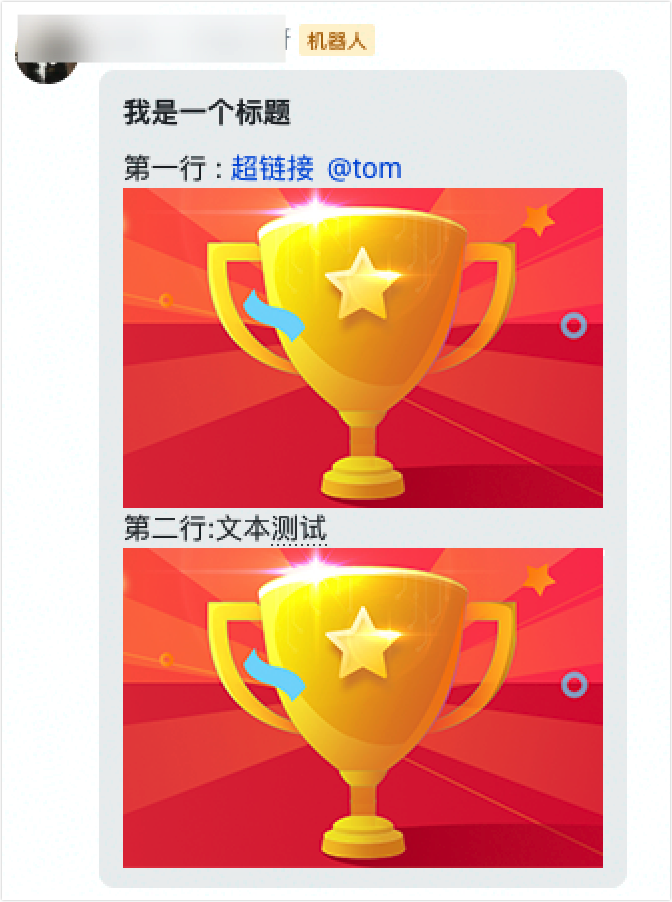
[发送消息](https://open.feishu.cn/document/uAjLw4CM/ukTMukTMukTM/reference/im-v1/message/create)时的请求体示例:
```json
{
"receive_id": "oc_820faa21d7ed275b53d1727a0feaa917",
"content": "{\"zh_cn\":{\"title\":\"我是一个标题\",\"content\":[[{\"tag\":\"text\",\"text\":\"第一行 :\"},{\"tag\":\"a\",\"href\":\"http://www.feishu.cn\",\"text\":\"超链接\"},{\"tag\":\"at\",\"user_id\":\"ou_1avnmsbv3k45jnk34j5\",\"user_name\":\"tom\"}],[{\"tag\":\"img\",\"image_key\":\"img_7ea74629-9191-4176-998c-2e603c9c5e8g\"}],[{\"tag\":\"text\",\"text\":\"第二行:\"},{\"tag\":\"text\",\"text\":\"文本测试\"}],[{\"tag\":\"img\",\"image_key\":\"img_7ea74629-9191-4176-998c-2e603c9c5e8g\"}]]}}",
"msg_type": "post"
}
```
发送后的效果图:
### 图片 image
**内容示例**
```json
{
"image_key": "img_7ea74629-9191-4176-998c-2e603c9c5e8g"
}
```
**参数说明**
名称 | 类型 | 是否必填 | 描述
---|---|---|---
image_key | string | 是 | 图片 Key,通过[上传图片](https://open.feishu.cn/document/uAjLw4CM/ukTMukTMukTM/reference/im-v1/image/create)接口可获取到图片 Key(image_key)。
**示例值**:img_7ea74629-9191-4176-998c-2e603c9c5e8g
**[发送消息](https://open.feishu.cn/document/uAjLw4CM/ukTMukTMukTM/reference/im-v1/message/create)请求体示例**
```json
{
"receive_id": "oc_xxx",
"content": "{\"image_key\": \"img_v2_xxx\"}",
"msg_type": "image"
}
```
消息发送后的效果如下图:

***
### 卡片 interactive
飞书卡片是一种可以灵活构建图文内容的消息类型,你可以通过[可视化搭建工具](https://open.feishu.cn/document/uAjLw4CM/ukzMukzMukzM/feishu-cards/feishu-card-cardkit/feishu-cardkit-overview)或者 [卡片 JSON](https://open.feishu.cn/document/uAjLw4CM/ukzMukzMukzM/feishu-cards/card-json-v2-structure)定义样式精美、可交互的卡片内容。
如果你使用的是历史版本的 ==发送消息卡片==(`/open-apis/message/v4/send/`) 接口,请求体中的 `content` 参数需要换成 `card`。如果使用[发送消息](https://open.feishu.cn/document/uAjLw4CM/ukTMukTMukTM/reference/im-v1/message/create)接口,消息请求体的内容参数已统一为 `content`。
**[发送消息](https://open.feishu.cn/document/uAjLw4CM/ukTMukTMukTM/reference/im-v1/message/create)请求体示例**
以下提供了卡片的多种发送方式,详细说明可参见[发送卡片](https://open.feishu.cn/document/uAjLw4CM/ukzMukzMukzM/feishu-cards/send-feishu-card)。
- **方式一:使用卡片实体 ID 发送**
通过卡片实体 ID 发送卡片适用于需要局部更新卡片或实现流式更新卡片的场景。详情参考[流式更新 OpenAPI 调用指南](https://open.feishu.cn/document/uAjLw4CM/ukzMukzMukzM/feishu-cards/streaming-updates-openapi-overview)。
卡片实体 ID 是卡片实体的唯一标识,需通过调用[创建卡片实体](https://open.feishu.cn/document/uAjLw4CM/ukTMukTMukTM/cardkit-v1/card/create)接口获取。
示例请求体如下所示:
```json
{
"receive_id": "ou_449b53ad6aee526f7ed311b216aabcef",
"msg_type": "interactive",
"content": "{\"type\":\"card\",\"data\":{\"card_id\":\"7371713483664506900\"}}"
}
```
- **方式二:使用卡片模板 `template_id` 发送**
通过[卡片搭建工具](https://open.feishu.cn/cardkit?from=open_docs_tool_overview)搭建好卡片后,通过卡片的 `template_id` 发送卡片。
使用模板 `template_id` 发送卡片的方式支持使用卡片变量,动态控制卡片内容。
示例请求体如下所示:
```json
{
"receive_id": "ou_449b53ad6aee526f7ed311b216aabcef",
"msg_type": "interactive",
"content": "{\"type\":\"template\",\"data\":{\"template_id\":\"xxxxxxxxxxxx\",\"template_version_name\":\"1.0.0\",\"template_variable\":{\"key1\":\"value1\",\"key2\":\"value2\"}}}"
}
```
其中,`content` 包含的参数配置说明如下表所示。
参数 | 类型 | 必填 | 说明
---|---|---|---
type | string | 否 | 卡片类型。要发送由搭建工具搭建的卡片(也称卡片模板),固定取值为 `template`。
data | object | 否 | 卡片模板的数据,要发送由搭建工具搭建的卡片,此处需传入卡片模板 ID、卡片版本号等。
└ template_id | string | 是 | 搭建工具中创建的卡片(也称卡片模板)的 ID,如 `AAqigYkzabcef`。可在搭建工具中通过复制卡片模板 ID 获取。
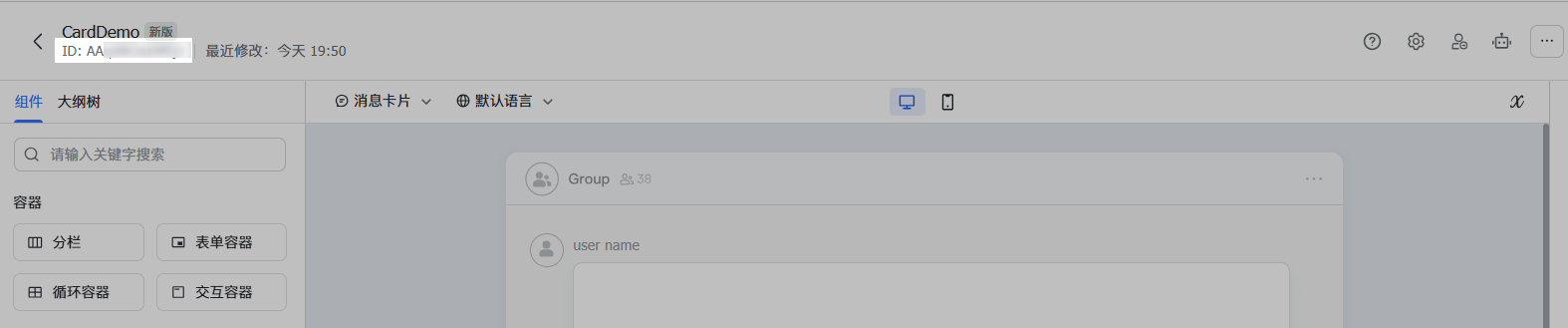
└ template_version_name | string | 否 | 搭建平台中创建的卡片的版本号,如 `1.0.0`。卡片发布后,将生成版本号。可在搭建工具 **版本管理** 处获取。

**注意**:
若不填此字段,将默认使用该卡片的最新版本。
└ template_variable | object | 否 | 若卡片绑定了变量,你需在该字段中传入实际变量数据的值。
**示例**:如果变量名称在搭建工具中被定义为 `open_id`,此处需要对 `open_id` 变量传入值:
```json
{
"open_id": "ou_d506829e8b6a17607e56bcd6b1aabcef"
}
```
- **方式三:使用卡片 JSON 发送**
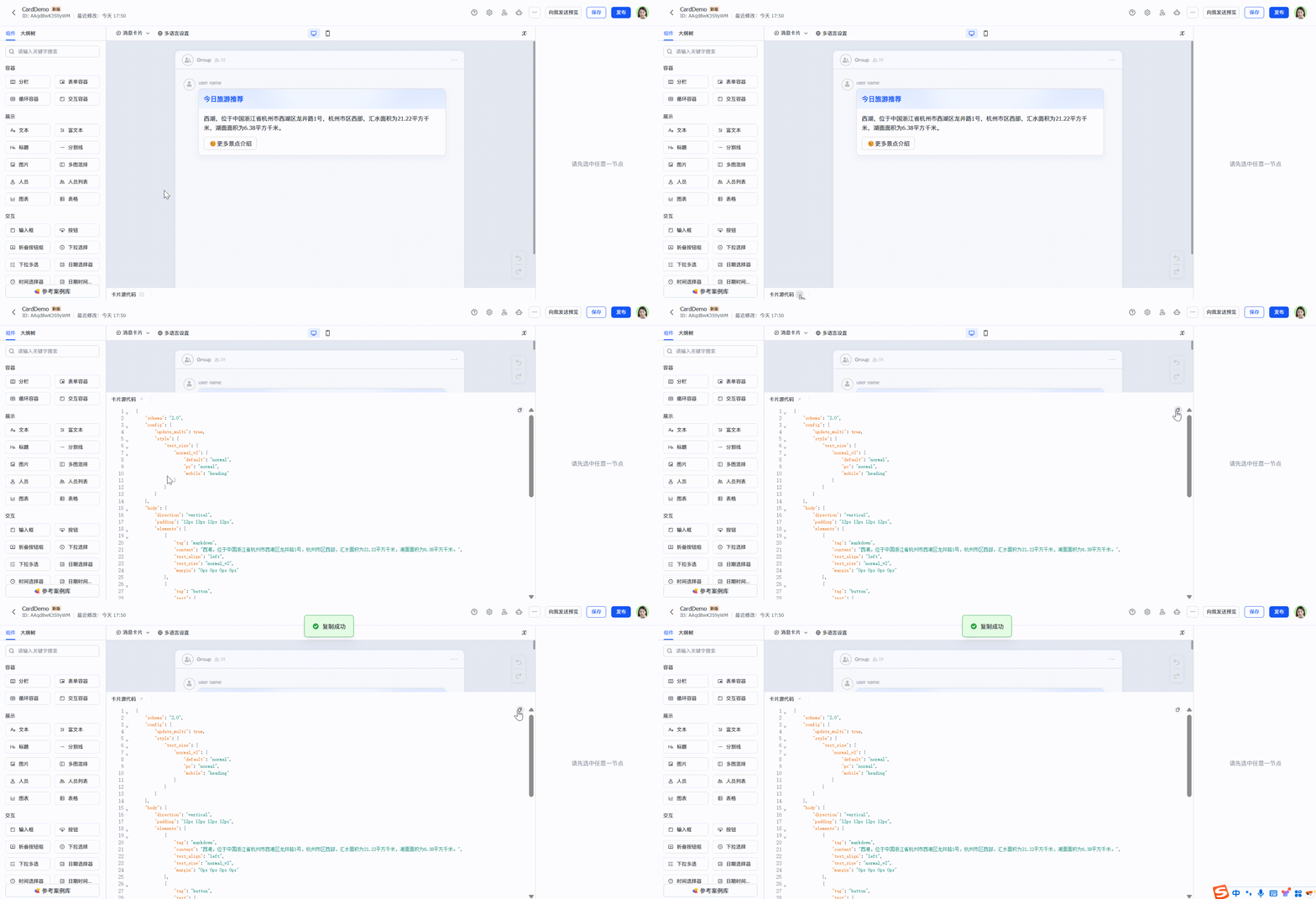
通过[卡片搭建工具](https://open.feishu.cn/cardkit?from=open_docs_tool_overview)搭建好卡片后,复制卡片源代码获取卡片 JSON,然后将卡片源代码进行压缩并转义,再传入 `content` 参数中发送卡片。
使用 JSON 发送卡片的方式不支持传入卡片变量。
示例请求体如下所示:
```json
{
"receive_id": "ou_449b53ad6aee526f7ed311b216aabcef",
"msg_type": "interactive",
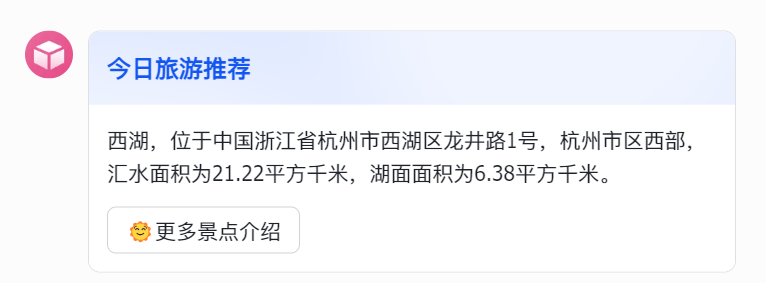
"content": "{\"schema\":\"2.0\",\"config\":{\"update_multi\":true,\"style\":{\"text_size\":{\"normal_v2\":{\"default\":\"normal\",\"pc\":\"normal\",\"mobile\":\"heading\"}}}},\"body\":{\"direction\":\"vertical\",\"padding\":\"12px 12px 12px 12px\",\"elements\":[{\"tag\":\"markdown\",\"content\":\"西湖,位于中国浙江省杭州市西湖区龙井路1号,杭州市区西部,汇水面积为21.22平方千米,湖面面积为6.38平方千米。\",\"text_align\":\"left\",\"text_size\":\"normal_v2\",\"margin\":\"0px 0px 0px 0px\"},{\"tag\":\"button\",\"text\":{\"tag\":\"plain_text\",\"content\":\"🌞更多景点介绍\"},\"type\":\"default\",\"width\":\"default\",\"size\":\"medium\",\"behaviors\":[{\"type\":\"open_url\",\"default_url\":\"https://baike.baidu.com/item/%E8%A5%BF%E6%B9%96/4668821\",\"pc_url\":\"\",\"ios_url\":\"\",\"android_url\":\"\"}],\"margin\":\"0px 0px 0px 0px\"}]},\"header\":{\"title\":{\"tag\":\"plain_text\",\"content\":\"今日旅游推荐\"},\"subtitle\":{\"tag\":\"plain_text\",\"content\":\"\"},\"template\":\"blue\",\"padding\":\"12px 12px 12px 12px\"}}"
}
```
消息发送后的效果如下图:
### 分享群名片 share_chat
**内容示例**
```json
{
"chat_id": "oc_0dd200d32fda15216d2c2ef1ddb32f76"
}
```
**参数说明**
名称 | 类型 | 是否必填 | 描述
---|---|---|---
chat_id | string | 是 | 群 ID。获取方式参见[群ID 说明](https://open.feishu.cn/document/uAjLw4CM/ukTMukTMukTM/reference/im-v1/chat-id-description)。
**示例值**:oc_0dd200d32fda15216d2c2ef1ddb32f76
**[发送消息](https://open.feishu.cn/document/uAjLw4CM/ukTMukTMukTM/reference/im-v1/message/create)请求体示例**
```json
{
"receive_id": "oc_xxx",
"content": "{\"chat_id\":\"oc_xxx\"}",
"msg_type": "share_chat"
}
```
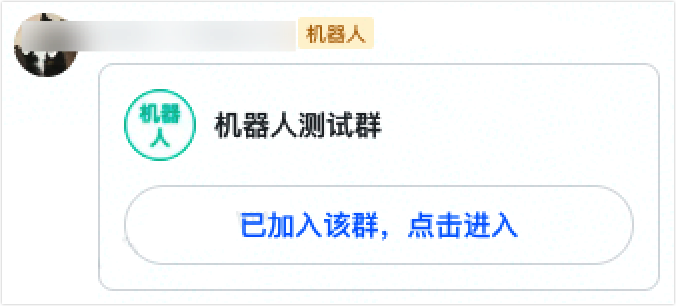
机器人必须在群名片所在的群内,才可以成功发送群名片。
消息发送后的效果如下图:
### 分享个人名片 share_user
**内容示例**
```json
{
"user_id": "ou_0dd200d32fda15216d2c2ef1ddb32f76"
}
```
- `user_id` 只支持设置用户的 open_id,且该用户需要在机器人的可用范围内,详情参见[配置应用可用范围](https://open.feishu.cn/document/home/introduction-to-scope-and-authorization/availability)。
- 暂不支持分享机器人的名片。
**参数说明**
名称 | 类型 | 是否必填 | 描述
---|---|---|---
user_id | string | 是 | 用户的 open_id,获取方式参见[如何获取 Open ID](https://open.feishu.cn/document/uAjLw4CM/ugTN1YjL4UTN24CO1UjN/trouble-shooting/how-to-obtain-openid)。
**示例值**:ou_0dd200d32fda15216d2c2ef1ddb32f76
**[发送消息](https://open.feishu.cn/document/uAjLw4CM/ukTMukTMukTM/reference/im-v1/message/create)请求体示例**
```json
{
"receive_id": "oc_820faa21d7ed275b53d1727a0feaa917",
"content": "{\"user_id\":\"ou_xxx\"}",
"msg_type": "share_user"
}
```
消息发送后的效果如下图:
***
### 语音 audio
**内容示例**
```json
{
"file_key": "75235e0c-4f92-430a-a99b-8446610223cg"
}
```
**参数说明**
名称 | 类型 | 是否必填 | 描述
---|---|---|---
file_key | string | 是 | 语音文件的 Key,通过[上传文件](https://open.feishu.cn/document/uAjLw4CM/ukTMukTMukTM/reference/im-v1/file/create)接口可获取文件的 Key(file_key)。
**示例值**:75235e0c-4f92-430a-a99b-8446610223cg
**[发送消息](https://open.feishu.cn/document/uAjLw4CM/ukTMukTMukTM/reference/im-v1/message/create)请求体示例**
```json
{
"receive_id": "oc_xxx",
"content": "{\"file_key\":\"file_v2_xxx\"}",
"msg_type": "audio"
}
```
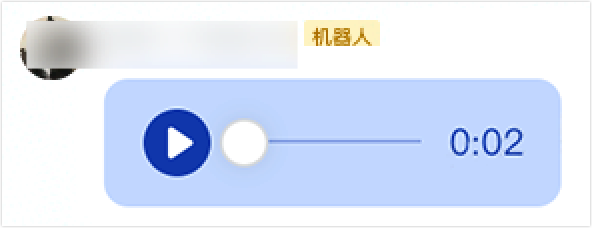
消息发送后的效果如下图:
### 视频 media
**内容示例**
```json
{
"file_key": "75235e0c-4f92-430a-a99b-8446610223cg",
"image_key": "img_xxxxxx"
}
```
**参数说明**
名称 | 类型 | 是否必填 | 描述
---|---|---|---
file_key | string | 是 | 视频文件的 Key,通过[上传文件](https://open.feishu.cn/document/uAjLw4CM/ukTMukTMukTM/reference/im-v1/file/create)接口获取视频文件的 Key(file_key)。
**示例值**:75235e0c-4f92-430a-a99b-8446610223cg
image_key | string | 否 | 视频的封面图片,可选择配置,不配置则无封面。取值为图片的 Key,通过[上传图片](https://open.feishu.cn/document/uAjLw4CM/ukTMukTMukTM/reference/im-v1/image/create)接口获取图片的 Key(image_key)。
**[发送消息](https://open.feishu.cn/document/uAjLw4CM/ukTMukTMukTM/reference/im-v1/message/create)请求体示例**
```json
{
"receive_id": "oc_xxx",
"content": "{\"file_key\":\"file_v2_xxx\",\"image_key\":\"img_v2_xxx\"}",
"msg_type": "media"
}
```
消息发送后的效果如下图:

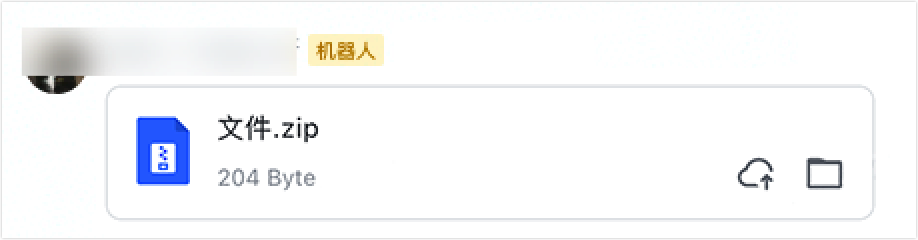
### 文件 file
**内容示例**
```json
{
"file_key": "75235e0c-4f92-430a-a99b-8446610223cg"
}
```
**参数说明**
名称 | 类型 | 是否必填 | 描述
---|---|---|---
file_key | string | 是 | 文件的 Key,通过[上传文件](https://open.feishu.cn/document/uAjLw4CM/ukTMukTMukTM/reference/im-v1/file/create)接口获取文件的 Key(file_key)。
**示例值**:75235e0c-4f92-430a-a99b-8446610223cg
**[发送消息](https://open.feishu.cn/document/uAjLw4CM/ukTMukTMukTM/reference/im-v1/message/create)请求体示例**
```json
{
"receive_id": "oc_820faa21d7ed275b53d1727a0feaa917",
"content": "{\"file_key\":\"file_v2_xxx\"}",
"msg_type": "file"
}
```
消息发送后的效果如下图:
### 表情包 sticker
**内容示例**
```json
{
"file_key": "75235e0c-4f92-430a-a99b-8446610223cg"
}
```
**参数说明**
名称 | 类型 | 是否必填 | 描述
---|---|---|---
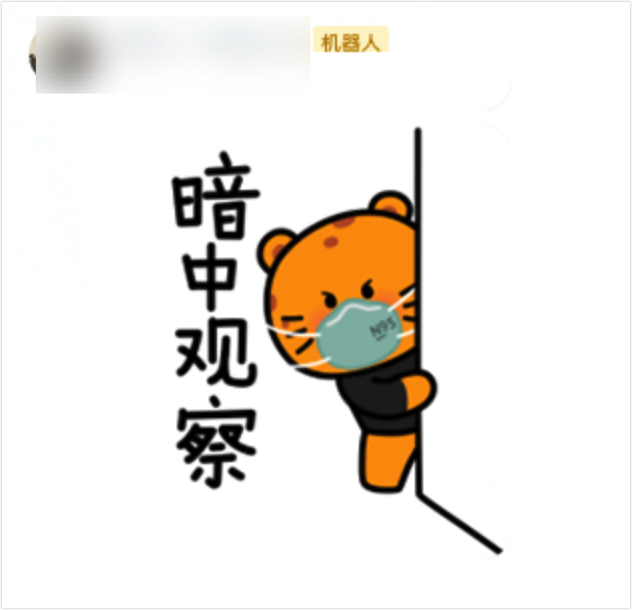
file_key | string | 是 | 表情包文件的 Key,目前仅支持发送机器人收到的表情包,可通过[接收消息事件](https://open.feishu.cn/document/uAjLw4CM/ukTMukTMukTM/reference/im-v1/message/events/receive)的推送获取表情包的 Key(file_key)。
**示例值**:75235e0c-4f92-430a-a99b-8446610223cg
**发消息请求体示例**
```json
{
"receive_id": "oc_xxx",
"content": "{\"file_key\":\"file_v2_xxx\"}",
"msg_type": "sticker"
}
```
消息发送后的效果如下图:
### 系统消息 systemwarning
**注意:**
- 仅支持使用 `tenant_access_token` 调用[发送消息](https://open.feishu.cn/document/uAjLw4CM/ukTMukTMukTM/reference/im-v1/message/create)接口,发送特定模板的系统消息,除接口必须权限外,还需要拥有 ==发送特定模板系统消息 (im:message:send_sys_msg)== 权限。
- 飞书客户端版本需要在 V7.20 及以上,才能正常显示分割线系统消息,低于此版本将仅展示文本内容。
**内容示例**
```json
{
"type": "divider",
"params": {
"divider_text": {
"text": "新会话",
"i18n_text": {
"zh_CN": "新会话",
"en_US": "New Session"
}
}
},
"options": {
"need_rollup": true
}
}
```
**参数说明**
名称 | 类型 | 是否必填 | 描述
---|---|---|---
type | string | 是 | 系统消息类型。仅支持取值 `divider`,表示分割线。**目前该类型仅支持在机器人与用户的单聊(p2p)中生效。**
**示例值**:divider
params | object | 是 | 系统消息参数。
∟ divider_text | object | 否 | 分割线系统消息的内容。当 `type` 为 `divider` 时该参数必填。
**示例值**:"divider_text": { "text": "新话题", "i18n_text": { "zh_CN": "新会话", "en_US": "New Session" } }
∟∟ text | string | 是 | 默认文本。
**注意**:
- 该参数为必填参数,不能传空值。
- 文本长度不能超过 20 个字符或 10 个汉字。
**示例值**:新会话
∟∟ i18n_text | map | 否 | 国际化文本,多语言环境下,优先使用该值。格式为 `{key:value}` 形式。支持的语种字段有:
- en_US(英文)
- zh_CN(简体中文)
- zh_HK(繁体中文-香港)
- zh_TW(繁体中文-台湾)
- ja_JP(日语)
- id_ID(印尼语)
- vi_VN(越南语)
- th_TH(泰语)
- pt_BR(葡萄牙语)
- es_ES(西班牙语)
- ko_KR(韩语)
- de_DE(德语)
- fr_FR(法语)
- it_IT(意大利语)
- ru_RU(俄语)
- ms_MY(马来语)
**注意**:
- 语言类型大小写敏感,传值时请保持与上述枚举值完全一致。
- 每种语言下(若有)文本则不能为空。
- 文本长度不能超过 20 个字符或 10 个汉字。
**示例值**:{ "zh_CN": "新会话", "en_US": "New Session" }
options | map | 否 | 可选配置项,格式为 `{key:value}` 形式,`key` 为枚举值,`value` 为枚举值的取值。支持的枚举值有:
- need_rollup:是否需要滚动清屏,boolean 类型参数,默认取值 false,表示不需要。
**示例值**:{ "need_rollup": true }
**[发送消息](https://open.feishu.cn/document/uAjLw4CM/ukTMukTMukTM/reference/im-v1/message/create)请求体示例**
```json
{
"receive_id": "oc_xxx",
"content": "{\"type\":\"divider\",\"params\":{\"divider_text\":{\"text\":\"新会话\",\"i18n_text\":{\"zh_CN\":\"新会话\",\"en_US\":\"New Session\"}}},\"options\":{\"need_rollup\":true}}",
"msg_type": "system"
}
```
效果示例如下图:
